Free online YouTube downloader

YouTube to MP3 Downloader

Convert and download YouTube videos to MP3 audio format.

Convert YouTube to MP3 free. Terms - Privacy

Scanned by Cloudflare Security

Why it feels better

YouTube to MP3 — Fast & Clean Audio

Extract high-quality MP3 audio from any YouTube video in a few clicks. Perfect for music, podcasts, and lectures.

Fast convertHD qualityNo installMobile ready

Quick start

How to Convert YouTube to MP3

A clean, guided flow — copy, convert, download. No apps, no clutter.

  1. 1

    Copy the YouTube video URL

    Grab the link of the video whose audio you want.

  2. 2

    Paste and convert

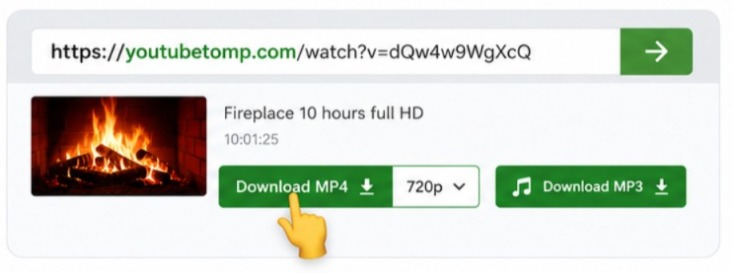
    Paste the URL above and hit Converter to load audio formats.

  3. 33

    Save as MP3

    Select the MP3 option and download the audio to your device.

What is YouTube to MP3 conversion?

Audio

What is YouTube to MP3 conversion?

YouTube to MP3 conversion extracts the audio track from a YouTube video and saves it as an MP3 file. That is useful for music, podcasts, lectures, language lessons, and any video where you only need the sound.

Paste a public YouTube URL above, convert, and select an MP3 or audio format from the list. The file is much smaller than a full video download.

MP3 plays on phones, computers, car stereos, and virtually every media player — no special codec required.

How to convert YouTube videos to MP3

Steps

How to convert YouTube videos to MP3

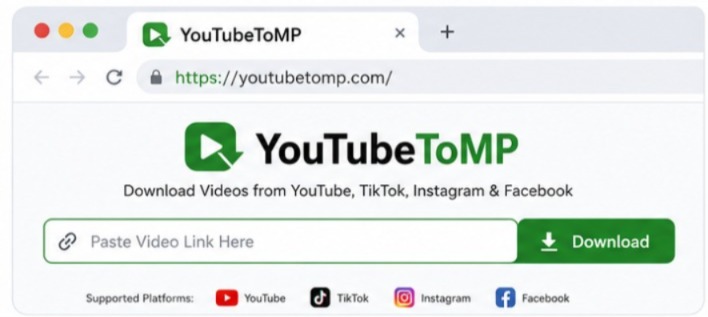
Copy the YouTube video link from the address bar or Share menu. Paste it into the converter and press Converter.

When formats appear, choose MP3 or the best audio option available. Start the download and open the file in your music app.

Long videos still work — conversion time depends on length and your connection. Prefer stable Wi‑Fi for large podcasts or album uploads.

Need video instead? MP4
Best practices for YouTube MP3 downloads

Tips

Best practices for YouTube MP3 downloads

Public videos convert most reliably. Private, age-restricted, or region-locked content may not provide audio streams.

Rename files after download so playlists stay organized. Include artist or topic names for easier search offline.

Respect creators and copyright — only keep audio you are allowed to download for personal, lawful use.

Back to YouTube downloader

Built different

Audio that sounds right

Extract crisp MP3 from any YouTube video — music, podcasts, lectures.

Instant processing

Paste a link and formats appear in seconds — no queues, no waiting screens.

Clean files

Download without extra watermarks or forced branding on your media.

Any device

Phone, tablet, or desktop browser — same smooth experience everywhere.

Private by design

We don’t ask you to install apps or share your social login to save a file.

Quality first

High-bitrate MP3 extraction

We pull the best available audio stream so your offline listening stays clear.

  • Best available bitrate
  • Works with music & podcasts
  • Play in any music app
High-bitrate MP3 extraction

Peace of mind

Listen anywhere, offline

A modern download experience built around clarity — not clutter.

No software needed

Everything runs in your browser with a single paste.

Fast & reliable

Optimized routes so files start downloading quickly.

Clear choices

See format and quality before you commit to a download.

Pro tips

Get the most from YouTube to MP3

A few habits that make every download smoother.

Use the original share link

Copy from Share or the address bar for the cleanest URL.

Pick quality for your screen

Phone? 720p or 1080p is usually enough. 4K for big screens.

Stay on public links

Only public, accessible media can be fetched and downloaded.

Respect creators

Download content you own or have permission to keep offline.

Support

YouTube to MP3 FAQ

We offer the best audio bitrates available from the source video.

Yes, basic conversions are free. Premium unlocks higher limits.

Basic files download as MP3. Title metadata depends on the source stream.

Convert one video at a time by pasting each video URL.