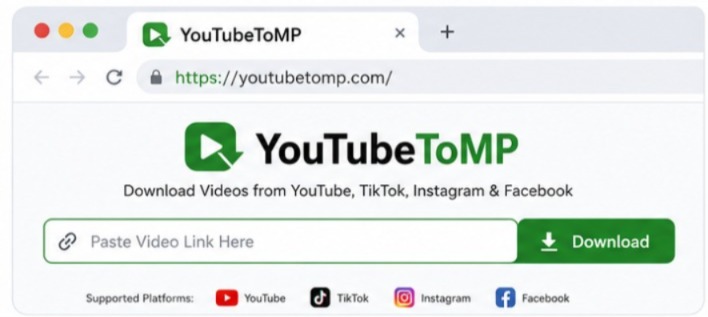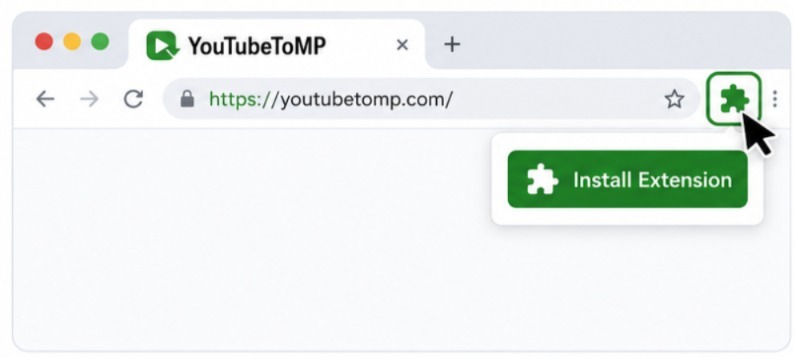
Free online YouTube downloader

Free Online YouTube to MP3 Converter | No Sign-Up, No Ads

Convert YouTube videos to MP3 online for free. No sign-up or software required. Simply paste a link, choose your preferred audio format, and download using your browser on any device.

Supports videos, music, podcasts, and YouTube Shorts.

Scanned by Cloudflare Security

How it works

How to Convert YouTube to MP3?

Convert your favorite YouTube videos to MP3 in three easy steps. No software to install, no account to create—just paste your link and download.

01

Copy the YouTube Link

Open the YouTube video you want, then copy its link from the address bar or tap Share → Copy Link on your phone.

02

Paste & Convert

Paste the YouTube link into the converter above and click Convert. We'll prepare your download in just a few moments.

03

Download Your MP3

Choose the audio quality you want and download your MP3 file. Once it's saved, you can listen anytime, even without an internet connection.

Convert YouTube to MP3 Online

Guide

Convert YouTube to MP3 Online

Convert publicly available YouTube videos into MP3 format directly in your Phone or Laptop with YouTubeToMP! Simply paste in a link, choose your format preference, and download your file within minutes - save audio for offline listening without installing software or creating an account.

Whether you're listening to music, podcasts, educational lectures, interviews, or language lessons, our converter is designed to provide a straightforward experience across desktop and mobile devices. The clean interface helps you convert videos quickly while keeping the process easy for everyone.

✔ High-Quality MP3 Audio ✔ No Software Installation ✔ Works on Desktop & Mobile ✔ Free Online Converter Important: Please download only publicly available content. Our tool must not be used to download private, restricted, or unlisted content without permission. Always respect copyright laws and the terms of the platform where the content is hosted.

Convert YouTube to MP3
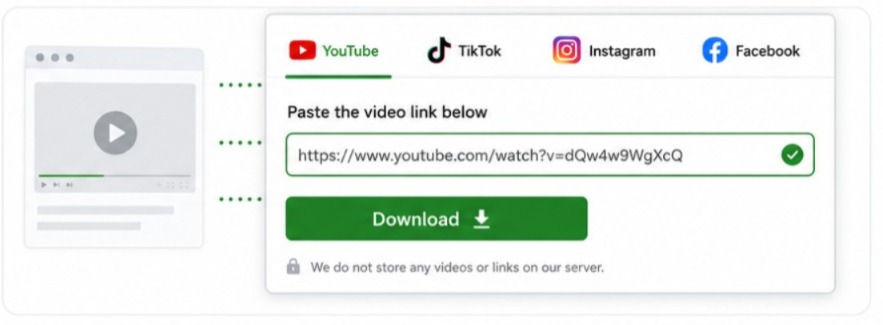
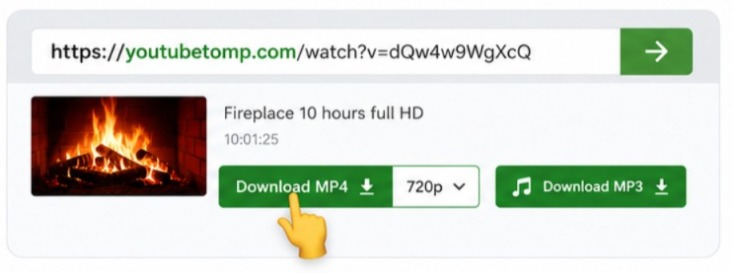
Download YouTube Videos in MP3 Format

Guide

Download YouTube Videos in MP3 Format

Listening to audio offline is convenient when you're commuting, traveling, exercising, studying, or working in places where internet access is limited. Converting a publicly available YouTube video into MP3 allows you to enjoy audio without streaming the video every time.

YouTubeToMP is built to simplify this process. There are no applications to install, browser extensions to configure, or accounts to register. Everything works through your web browser, allowing you to convert videos in just a few steps.

Our converter is suitable for users who want to save educational content, podcasts, interviews, public presentations, language lessons, or other audio they have permission to access. Once the conversion is complete, you can store the MP3 file on your computer, smartphone, or tablet and play it with your preferred media player whenever you need it. The website is designed with simplicity in mind. Whether you're using the converter for the first time or you've used similar tools before, the interface helps you complete the task without unnecessary settings or distractions.

Open YouTube to MP3 downloader
Why Choose YouTubeToMP?

Guide

Why Choose YouTubeToMP?

Choosing the right online converter is about more than simply downloading a file. A good tool should be easy to understand, work across different devices, and provide a smooth experience from start to finish.

At YouTubeToMP, we've focused on creating a clean and user-friendly platform that removes unnecessary complexity. The goal is to help visitors complete their task quickly while providing clear guidance throughout the process.

Features Convert YouTube videos to MP3 directly from your browser. No software or browser extensions required. Compatible with Windows, macOS, Linux, Android, and iPhone. Simple interface suitable for beginners. Accessible from modern web browsers. Quick conversion process. No account registration required. Works on desktop, tablet, and mobile devices.

Why Do People Convert YouTube to MP3?

Guide

Why Do People Convert YouTube to MP3?

MP3 is one of the most widely supported audio formats, making it suitable for many everyday situations. Depending on your rights to the content, you may choose to save audio for personal offline use.

Common examples include: Educational lectures Podcasts Language learning lessons Public interviews Audiobooks Music you have permission to download Motivational talks Business presentations Conference recordings Personal reference material

Because MP3 files are compact, they take up less storage space than video files while remaining compatible with most smartphones, tablets, laptops, desktop computers, and media players.

Things to Know Before Converting YouTube to MP3

Guide

Things to Know Before Converting YouTube to MP3

Converting a YouTube video to MP3 is simple, but a few small things can help you get the best results. The audio quality of your MP3 depends on the original video. If the uploaded video has clear sound, your downloaded audio will usually sound better as well. Low-quality source audio cannot be improved during conversion.

Before downloading, make sure the YouTube link is correct and that the video is publicly available. Private or restricted videos may not be supported. If a download doesn't start, refresh the page and try again using the original YouTube link. In most cases, this resolves temporary issues.

For the best experience, use the latest version of Chrome, Edge, Firefox, or Safari. Keeping your browser updated helps ensure smooth downloads and better performance.

Get the Best Results Every Time

Guide

Get the Best Results Every Time

A good download starts with the right video. Public YouTube videos usually work best because they're available for everyone to access. If a video is private, removed, or restricted, it may not be available for conversion.

For the best audio quality, choose videos with clear sound. Music videos, podcasts, interviews, and professionally recorded content often produce better MP3 files than videos with background noise or poor audio.

If your download doesn't start, check that you copied the full YouTube link. Refresh the page and try again if needed. A stable internet connection can also help the conversion finish without interruptions. Once your MP3 is downloaded, you can play it on your phone, computer, tablet, or any device that supports MP3 files.

Full YouTube video downloader

FAQ

Frequently asked questions

A YouTube to MP3 converter lets you extract audio from publicly available YouTube videos and save it as an MP3 file. Many people use it to listen to podcasts, interviews, lectures, or music offline without opening a video every time.

Yes. You can convert publicly available YouTube videos to MP3 without creating an account or paying a subscription. Simply paste the video link, choose your preferred audio format, and start the conversion.

No. YouTubeToMP works directly in your web browser. There is nothing to install, and you don't need browser extensions or additional applications to use the converter.

Yes. The website works on most modern smartphones, tablets, laptops, and desktop computers. You can access it using browsers like Chrome, Safari, Firefox, or Microsoft Edge.

Some videos may be unavailable because they are private, age-restricted, deleted, or have limited access. Always make sure you are using a valid, publicly available YouTube link.

The legality depends on the content you download and the laws that apply where you live. Always make sure you have permission to download the content and follow copyright laws and the platform's terms of service.

YouTubeToMP works with most modern browsers, including Google Chrome, Microsoft Edge, Mozilla Firefox, Safari, and other Chromium-based browsers.